Faucet #2
Pedro Victor Brandão
Presented by Portas Vilaseca at PROSPECT Cologne
5.–7. November 2026
Hohenstaufenring 48
50674 Cologne
About Faucet
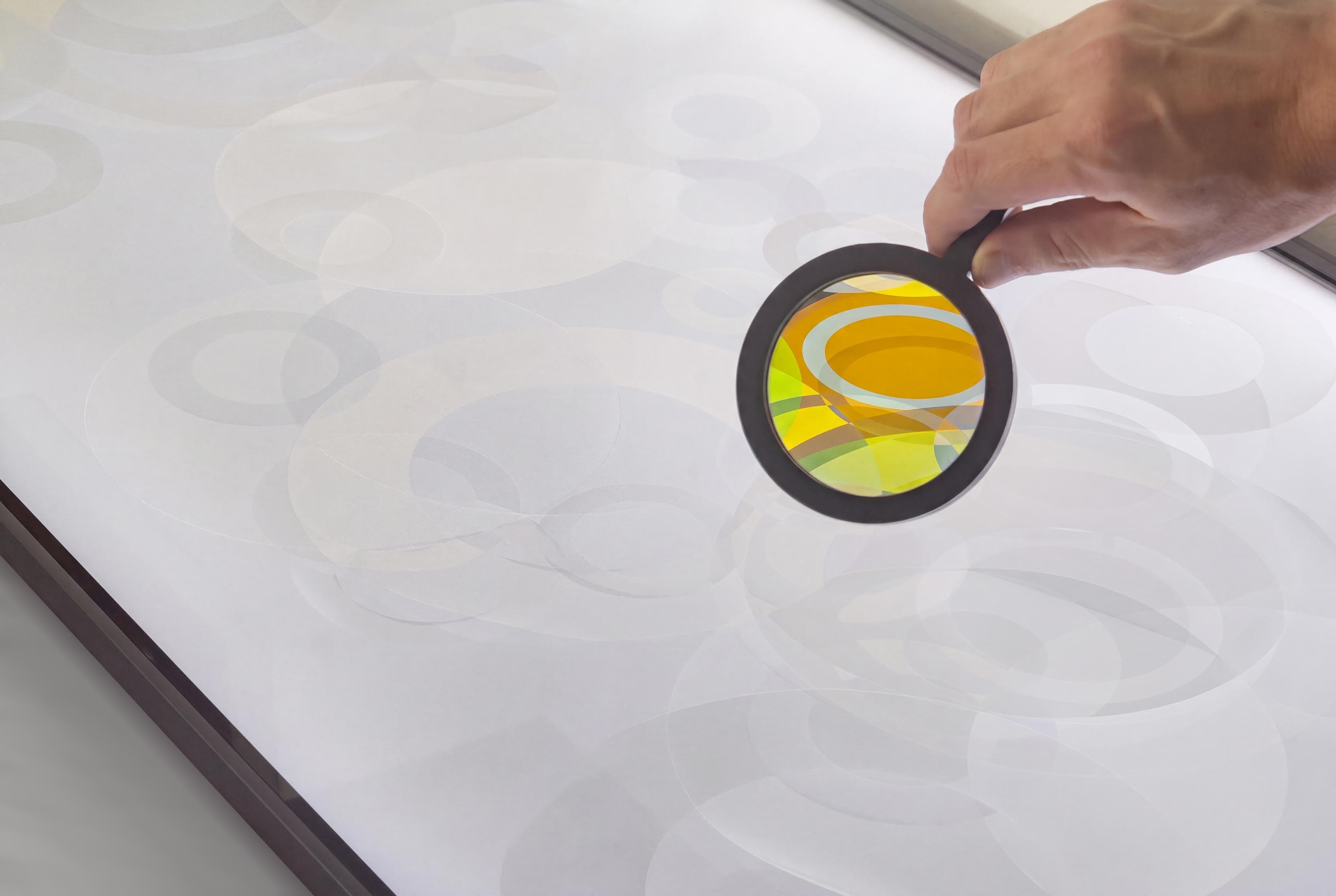
For the first edition of PROSPECT, Portas Vilaseca presents Faucet #2, an interactive sculpture by Pedro Victor Brandão from his Prepared Screen series. In the work, cellulose elements are placed over a television emitting white light, while polarizing filters are made available for visitors to handle and position over the materials. Their interaction produces cross-polarization effects, revealing changing colors and patterns as the filters and materials are moved.
Originally created for More Abstract, the artist’s third solo show at the gallery, the work employs an optical technique used in materials science, geology, biology and forensic photography to examine minerals, crystals and other samples by observing how they alter polarized light.
This phenomenon becomes the basis for a generative experience shaped by the public’s manipulation of the work. Whenever a Faucet is exhibited, photographic records are made of the public’s interactions with it. Selected snapshots are minted as blockchain-based digital objects, allowing these participatory records to circulate beyond the physical installation.





Collect the free edition
Placeholder text. Connect a wallet or sign in with your email, choose up to five editions and collect them for 0 ETH.
Free edition
0 ETH
FAQ
+What is Faucet?
Faucet is a set of interactive artworks by Pedro Victor Brandão from the Prepared Screen series. Photographic records of visitors’ interactions with the installation are made available as digital editions on the Ethereum blockchain. Faucet #2 is being shown at Prospect Cologne from 5.–7. November 2026, presented by Portas Vilaseca.
+Is it free to collect?
Yes. Editions are offered for 0 ETH. For users connected with email, transaction gas fees are sponsored - powered by Privy. If you use an external wallet, you will need to pay the Ethereum network gas fee.
+How do I collect using just my email?
Click CONNECT and select Continue with email, then sign in with your email address. A digital wallet will be created for you automatically by Privy, without installing additional software or purchasing cryptocurrency.
Then follow the instructions and, finally, click COLLECT.
The gas fee for collecting your edition is sponsored, so the entire process is free.
+Can I use my existing cryptocurrency wallet?
Yes. You can connect an Ethereum-compatible wallet, such as MetaMask, Coinbase Wallet, or Rabby.
The edition itself is free, but you will need some ETH on Ethereum Mainnet to cover the network transaction fee. Your wallet will display the estimated fee before confirmation.
+What is a gas fee?
A gas fee is the cost of processing a transaction on the Ethereum blockchain. It is paid to the network, not to the artist or gallery, and varies depending on network activity.
Gas fees are sponsored when collecting through Privy, but paid by the collector when using an external wallet.
+How many editions can I collect?
You can collect up to five editions per wallet, subject to availability.
+Where can I find my collected editions?
Your editions are recorded on Ethereum and associated with the wallet used to collect them.
You can view them using blockchain explorers such as Etherscan or compatible NFT platforms such as OpenSea, by searching for your wallet’s public address.
If you collected using Privy, your editions will be held in a wallet created specifically for this website. Signing into OpenSea with the same email address does not automatically connect that wallet.
+Can I transfer or sell my editions?
Yes. Editions can be transferred to other Ethereum wallets or listed on compatible secondary marketplaces.
If you collected using an external wallet, you can manage your tokens directly through that wallet.
If you collected using Privy, you will first need to export your wallet’s private key and import it into a compatible wallet application, such as MetaMask. This allows you to manage your editions outside the Faucet website.
+How do I export my Privy wallet?
If you want to transfer, sell, or manage your editions outside the Faucet website, you can export your wallet through Privy Home.
- Visit home.privy.io.
- Sign in and link the same authentication method used when collecting your edition.
- Find the Faucet application under My apps.
- Select the application “Faucet” and follow the Export keys instructions to retrieve your wallet’s private key.
- Import the private key into a compatible wallet application, such as MetaMask, to access and manage your tokens.
Important: Your private key provides full control over your wallet and its assets. Never share it with anyone, including the artist, gallery, or support staff. Only enter it into trusted wallet applications.
Exporting a wallet does not transfer your tokens or change your wallet address. It simply allows you to access the same wallet through another application. Subsequent transactions, including transfers and marketplace listings, may require ETH for gas fees.
+Do I own the copyright to the artwork?
No. Collecting an edition grants ownership of the digital token, but does not transfer copyright, commercial reproduction rights, or ownership of the physical installation. These rights remain with the artist unless otherwise specified.
+I have another question. How can I get help?
You can contact pedrovictorbr@pm.me for assistance.